
Land the deal.
Land the home.
Same-day tenant referencing. Letting agents add a property and share one link. Tenants apply from their phone, and every document is checked in seconds.
Animated example: on the left, a letting agent adds two properties to their Landin dashboard. On the right, a tenant applies on their phone, uploads their ID and payslips, connects their bank, and sends the application, which then appears on the agent's dashboard.


A reference the same day they apply.
Landin reads every document in seconds, checks it against your criteria and gives you one page to accept or decline.
Start referencingFraud checks
Catches the payslip that's been edited.
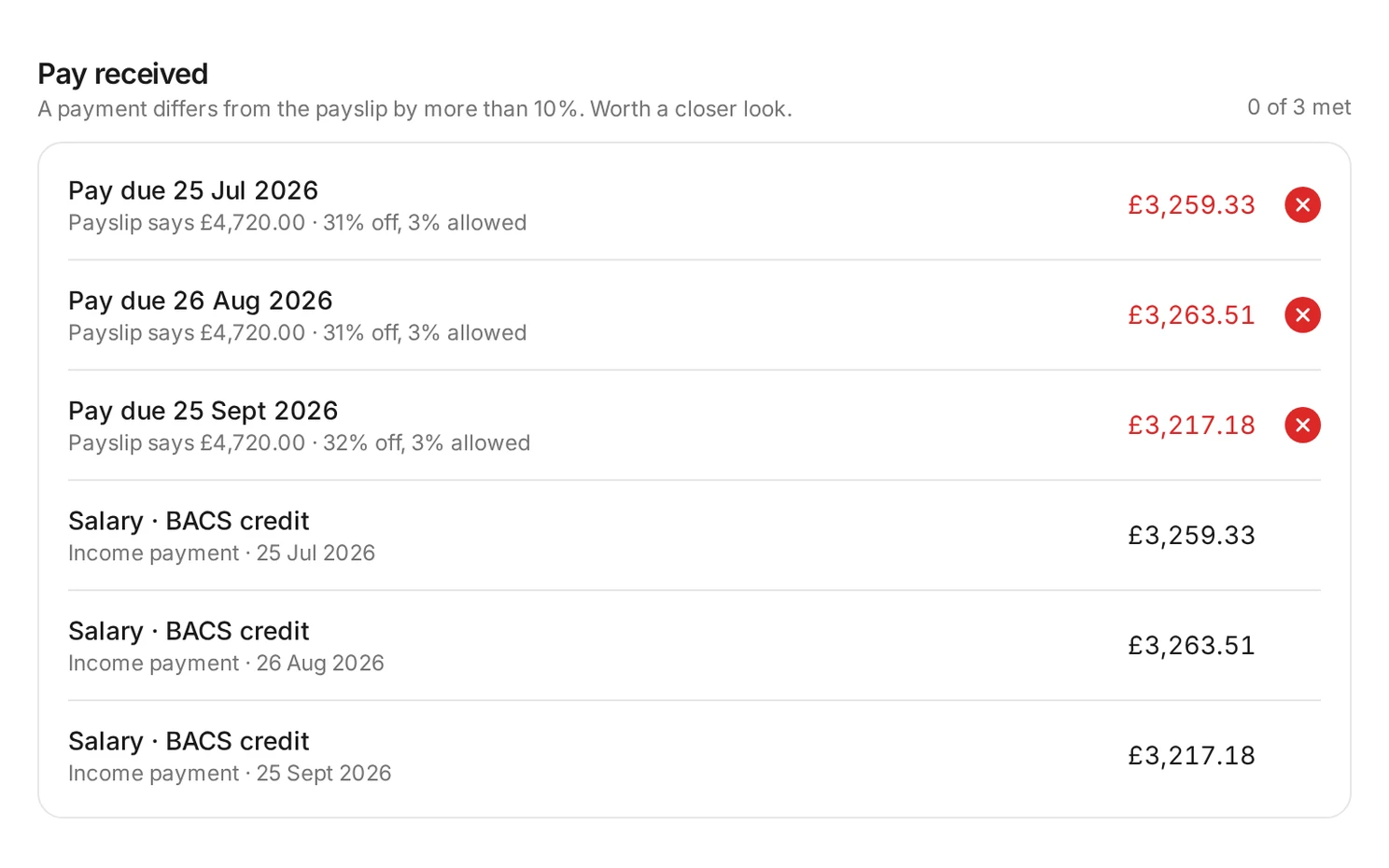
Every payslip is checked for signs of editing, and its net pay is matched against what actually arrived in the bank. Anything off is flagged, with the evidence.
Fair, consistent, and quick to act on.
The same rules for everyone.
Set the income multiple, guarantor income, payslips and bank tolerance per property. Applicants can read them before they apply.
A blind first look.
No name, photo, age, nationality or income source until you proceed. You only ever see the payments that prove income, never spending.
Decisions in one click.
Ask for a missing document, or accept and send an email Landin has already written. Your team sees it all in one place.
For tenants
Apply from your phone, one step at a time.
Each document is checked as it's uploaded. If a payslip is for the wrong month, they're told which one to send instead, and they can save and come back later.
Continue an applicationPricing that grows with your lettings.
Start with no monthly fee, then move to a plan as you let more each month.
Pay as you go
For agencies letting about 1–2 properties a month
£12per screening
No monthly fee
- Pay only for the screenings you use
- Document and fraud checks on every application
- Unused screenings roll over
- CRM integration and API
Starter
For agencies letting about 5–7 properties a month
£199/ month
£3.98 per screening if fully used
- Unused screenings roll over for 1 month
- Document and fraud checks on every application
- CRM integration and API
Pro
For agencies letting about 13–18 properties a month
£449/ month
£3.45 per screening if fully used
- Unused screenings roll over for 1 month
- Document and fraud checks on every application
- CRM integration and API
Reference your next tenant today.
Add a property, share the link, and have a decision the same day.